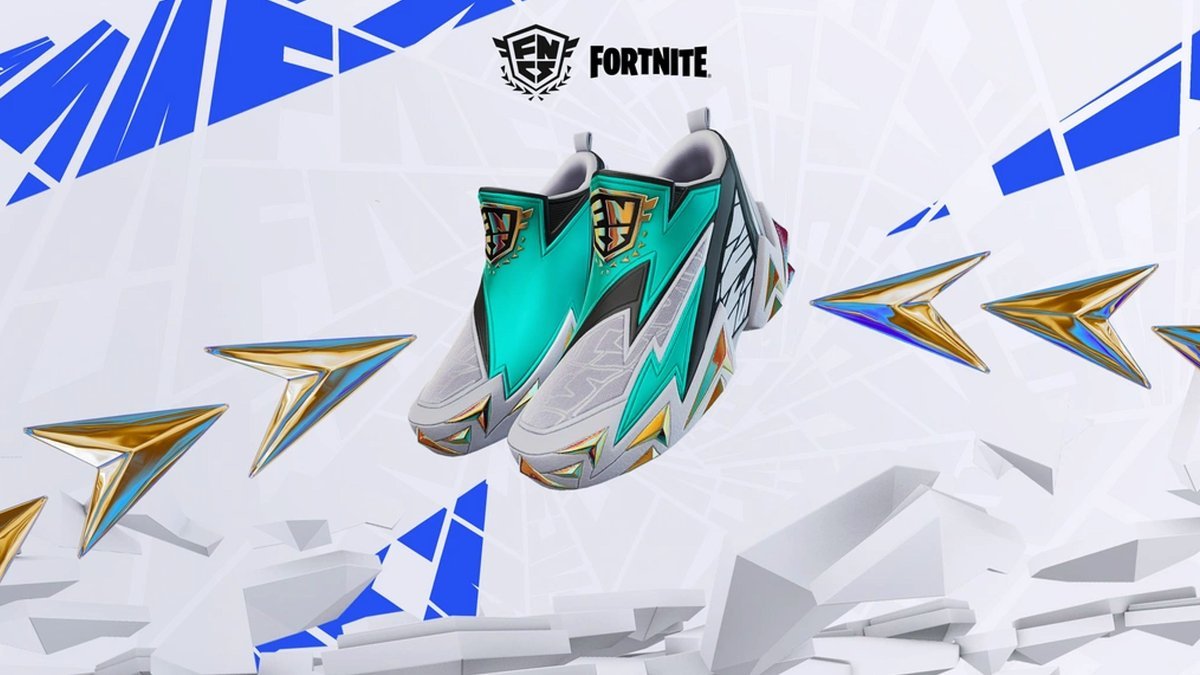
Fortnite players can claim an exclusive pair of FNCS Kicks for their cosmetic locker for free by watching the upcoming competitive tournament on Twitch. Epic Games is offering the virtual footwear as a timed Twitch Drop reward during the FNCS Global Championship broadcast event.
To secure the cosmetic item, viewers must tune into qualifying broadcasts on either September 26 or September 27. Fans only need to accumulate 30 minutes of total watch time across the event weekend to earn the drop. The official tournament coverage begins at 10:00 AM ET (4:00 PM CEST) on both days.
Before tracking progress toward the drop, players need to make sure their Epic Games and Twitch profiles are properly connected. Setting up the connection requires a few straightforward steps:
- Log into the official Epic Games website and open the Account Settings menu.
- Select the Linked Accounts tab from the navigation options.
- Find the Twitch icon, choose Link, and log in to authorize the connection.
With accounts linked, fans can watch the competitive action directly on the official Fortnite Twitch channel. While other participating streams featuring active Twitch Drops will also count toward the total, staying on the main channel ensures that watch time registers reliably without missing any progress.
Upon reaching the 30-minute threshold, a notification will appear allowing players to claim the FNCS Kicks from their Twitch Drop Inventory interface. Claiming the item immediately adds the footwear to the linked Fortnite account locker. While most unlocks occur instantly, delivery can occasionally take up to 14 days, and restarting the game often fixes display delays.
The reward can be equipped across all supported platforms, including PlayStation 4, PlayStation 5, Xbox One, Xbox Series X/S, Nintendo Switch, PC, Android, and iOS.
Related Articles
About the Author